Orval API Client Generation
Decision to use Orval for TypeScript API client generation from OpenAPI
We use Orval to generate TypeScript API clients from our OpenAPI specification.
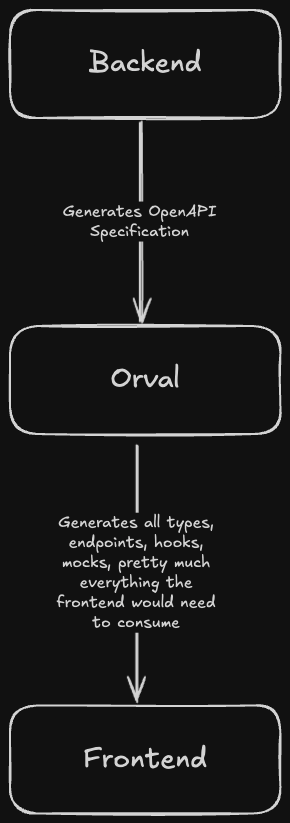
Why Orval?
- Type Safety: Auto-generates TypeScript types directly from the backend's OpenAPI schema, ensuring frontend and backend stay in sync.
- Reduced Boilerplate: No need to manually write fetch calls, request/response types, or API URLs.
- Single Source of Truth: The OpenAPI spec (generated from Elysia (@elysiajs/openapi)) drives both backend validation and frontend types.
Current Approach: React Query with Axios
We use Orval's react-query client output mode, which generates React Query hooks (useQuery and useMutation) that use Axios under the hood.
Example generated code:
export const useRegisterUserApiRegisterPost = <
  TError = AxiosError<HTTPValidationError>,
  TContext = unknown
>(
  options?: {
    mutation?: UseMutationOptions<...>;
    axios?: AxiosRequestConfig;
  },
  queryClient?: QueryClient
): UseMutationResult<...> => {
  const mutationOptions = getRegisterUserApiRegisterPostMutationOptions(options);
  return useMutation({ ...mutationOptions, queryClient });
};
Usage in Components
The generated hooks can be used directly in React components:
import { useRegisterUserApiRegisterPost } from '@/api/authentication/authentication';

function RegisterForm() {
  const registerMutation = useRegisterUserApiRegisterPost({
    mutation: {
      onSuccess: () => {
        navigate('/login');
      }
    }
  });

  // In form submit handler:
  const handleSubmit = (value) => {
    registerMutation.mutate({
      data: { email: value.email, password: value.password }
    });
  };

  return (
    <>
      {registerMutation.isPending && <span>Loading...</span>}
      {registerMutation.isError && (
        <span>{getErrorMessage(registerMutation.error)}</span>
      )}
    </>
  );
}
Configuration
The Orval configuration is in frontend/orval.config.ts:
import { defineConfig } from 'orval';

export default defineConfig({
  'super-impress': {
    input: './openapi.json',
    output: {
      httpClient: 'axios',
      target: './src/api/superimpress.ts',
      mode: 'tags-split',
      client: 'react-query',
      override: {
        mutator: {
          path: 'src/api/axios.ts',
          name: 'customInstance'
        }
      }
    },
    hooks: {
      afterAllFilesWrite: {
        command: 'prettier --write ./src/api/**',
        injectGeneratedDirsAndFiles: false
      }
    }
  },
  'super-impress-zod': {
    input: './openapi.json',
    output: {
      target: './src/api',
      mode: 'tags-split',
      client: 'zod',
      fileExtension: '.zod.ts'
    },
    hooks: {
      afterAllFilesWrite: {
        command: 'prettier --write ./src/api/**',
        injectGeneratedDirsAndFiles: false
      }
    }
  }
});
Generated Files Location
Generated API clients live in src/api/ and are organized by domain:
src/api/<domain>/<domain>.ts- React Query hookssrc/api/<domain>/<domain>.zod.ts- Zod schemassrc/api/superimpress.schemas.ts- Shared types
These files are auto-generated and should not be edited manually.